Trusted Expertise for Your Microsoft SharePoint Platform
Let us support you in getting the most out of SharePoint—enabling your teams to seamlessly create, organise, share, and collaborate on the vital information that drives your organisation forward.

SharePoint: The Central Hub Your Business Needs
Transform how your teams collaborate, share knowledge, and manage information—with Microsoft's most powerful platform for modern workplaces.
🔐 Enterprise Security • 📊 Real-Time Collaboration • 🌐 Cloud-Based • ⚡ Seamlessly Integrated
SharePoint is more than just a document repository. It's a versatile, enterprise-grade platform that enables your teams to create powerful internal websites, intranets, and knowledge management systems—transforming how your organisation stores, accesses, and collaborates on vital information. Whether you're managing dispersed teams, migrating from legacy file servers, or building a modern digital workplace, SharePoint is the secure, scalable foundation your business deserves.
Why SharePoint Matters in Today's Workplace
The organisations succeeding today aren't those managing information through scattered spreadsheets and email chains. They're the ones with centralised, intelligent systems that enable real-time collaboration, instant information discovery, and secure access from anywhere.
SharePoint is built for exactly this reality. It's the platform that major enterprises, Government organisations, and forward-thinking SMBs rely on to power their digital workplace.
What SharePoint Delivers for Your Organisation
Become More Agile
Respond quickly to challenges as they arise. SharePoint enables your team to collaborate and develop real-time solutions to issues in minutes, not days.
Adapt to Modern Working
Today's workforce expects seamless, collaborative digital experiences. SharePoint provides efficient information management tailored to how your teams actually work.
Enable Global Teams
Create hybrid development and project teams—internal and external—collaborating effectively from anywhere in the world without geographical constraints.
Centralise Knowledge
Build custom intranets and portals where employees easily find documents, policies, news, and resources—reducing information silos and boosting productivity.
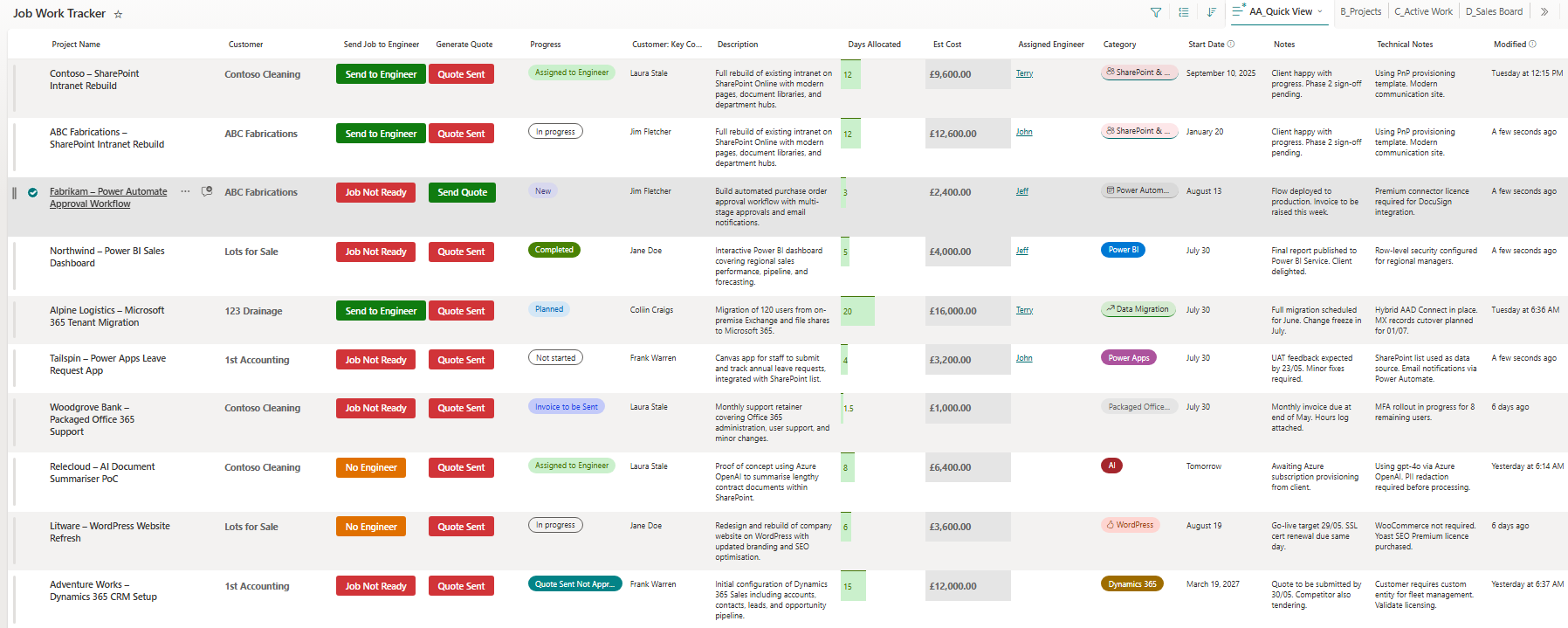
Example of a customised SharePoint interface providing real-time visibility and control
What Is SharePoint? A Deeper Look
Microsoft SharePoint is a cloud-based content management and collaboration platform built into Microsoft 365. It's designed for organisations of all sizes to create secure, scalable websites and portals where teams can store, organise, share, and access information from any device—all through any web browser.
✅ Key Capabilities
- Document Management: Store, version, and collaborate on documents with built-in version control and AutoSave.
- Internal Websites & Intranets: Create professional internal portals for company handbooks, knowledge exchange, and team collaboration.
- Real-Time Collaboration: Co-author Word, Excel, and PowerPoint documents simultaneously with automatic conflict resolution.
- Advanced Permissions: Control access at site, library, folder, or document level with role-based access control.
- Integration with Microsoft 365: Native integration with Teams, Outlook, OneDrive, and other Microsoft tools.
- Enterprise Security: Microsoft Entra ID authentication, encryption, compliance controls, and data loss prevention.
Migrate from On-Premise File Shares to SharePoint Online
Moving from traditional file servers to SharePoint Online isn't just a technical migration—it's a strategic transformation of how your organisation manages information.
We begin by assessing your existing file shares, folder structures, and permissions to identify what should be migrated, archived, or restructured. We then design a SharePoint architecture that aligns with your business needs, including document libraries, metadata strategies, and access controls.
Using proven migration tools and methodologies, we securely transfer your data to SharePoint Online while maintaining file integrity, version history, and user permissions. Throughout the process, we minimise disruption and ensure your teams are prepared for the transition.
The result: A modern, cloud-based document management system that improves collaboration, enhances security, and removes the constraints of on-premise infrastructure—whilst maintaining business continuity.
SharePoint Technical Foundations
Understanding SharePoint's technical capabilities helps explain why it's the choice of the world's most demanding organisations:
Massive Scale: Supports up to 30 million items per list without performance degradation.
Cloud-Native: No on-premise infrastructure required. Hosted in Microsoft 365 with automatic updates and maintenance.
Built-In Compliance: Integrates with Microsoft Purview for compliance, retention, and data classification.
High Availability: Enterprise-grade infrastructure with automatic redundancy and disaster recovery.
Version Control: Automatic version history lets users restore previous document versions without backup software.
Role-Based Access: RBAC through Microsoft 365 security groups with granular permission inheritance options.
Real-Time Co-Authoring: Multiple users edit the same document simultaneously with AutoSave.
Teams Integration: Surface SharePoint content directly in Teams channels via document tabs.
Expert SharePoint Consulting & Support
SharePoint's power comes from how well it's configured to your specific business needs. That's why we offer dedicated consulting services.
💼 Our Consulting Approach
We pair you with a certified SharePoint expert with years of industry experience. Whether you're planning a deployment, troubleshooting performance issues, optimising existing configurations, or training your team—we provide the strategic guidance to get the most from your investment.
Hourly Consulting: Access to our experts on demand.
Project-Based Services: Dedicated support for migrations, custom developments, and organisational rollouts.
Training & Enablement: Hands-on workshops to ensure your teams can confidently use SharePoint.
What Our Customers Say
"We have to say a huge thank you to AT Technical for the work they have done for us at LHH in automating our sales contracts and approvals process using SharePoint and Power Automate. The new automated process enables us to track all our deals and implement delivery of services to our clients much more efficiently."
"AT Technical Ltd has supported us over the last few months with a complicated SharePoint migration as well as creating a new intranet to implement on the new infrastructure. The support and professional advice were second to none. Any queries were answered immediately. Always on call when needed—nothing was too much trouble. I would highly recommend their service."
"Been working with AT Technical over the past 6 months developing a Human Resource SharePoint site amongst other technical work across the business. Faultless service with exceptional responsiveness in dealing with any queries."
SharePoint at Work: Real Business Outcomes
SharePoint isn't a one-size-fits-all solution—it's a foundation that adapts to your business. Here's what we've delivered for clients:
✅ Real Customer Outcomes
- Sales Teams: Automated contract approvals and deal tracking, reducing cycle times by 40%.
- HR Departments: Centralised talent management, onboarding, and knowledge bases—improving employee experience and reducing administration time.
- Healthcare Organisations: Secure document management, compliance tracking, and internal communications—meeting stringent regulatory requirements.
- Financial Services: Audit-ready document governance, version control, and e-signature integration—enabling secure, traceable workflows.
Ready to Transform Your Digital Workplace?
Whether you're starting from scratch, migrating from legacy systems, or optimising an existing SharePoint environment—we have the expertise to deliver fast, professional results.
Let's talk about what SharePoint can do for your organisation.
Book a SharePoint ConsultantGet in Touch Today