
Microsoft Dataverse: The Foundation for Enterprise-Grade Power Platform Solutions
Learn why Dataverse is essential for scalable, secure, and future-ready business applications. Discover how organisations use it to manage data at scale whilst maintaining governance and control.
As organisations accelerate their digital transformation, one challenge consistently emerges: how to manage data securely, consistently, and at scale across multiple applications and workflows.
This is where Microsoft Dataverse becomes critical.
Far more than just a database, Dataverse is the foundation that enables organisations to build robust, secure, and scalable business solutions using Power Apps, Power Automate, and beyond.
In this article, we'll break down what Dataverse is, why it matters, and how organisations are using it to drive real business value.
What is Microsoft Dataverse?
Microsoft Dataverse is a secure, cloud-based data platform that allows organisations to store, manage, and structure business data in a standardised way.
Unlike traditional databases, Dataverse is designed specifically for business applications, meaning it includes:
- Pre-built data structures (tables like Accounts, Contacts)
- Role-based security
- Business rules and logic
- Integration with Microsoft 365 and Azure services
In simple terms: Dataverse is the data layer that powers enterprise-grade Power Platform solutions.
Why Not Just Use SharePoint or SQL?
This is one of the most common questions—and where many organisations make costly architectural mistakes.
| Platform | Good For | Limitations |
|---|---|---|
| SharePoint |
|
|
| SQL |
|
|
| Dataverse (The Middle Ground) |
| Designed to overcome limitations of both approaches |
Dataverse provides the sweet spot: relational data modelling like SQL, low-code integration like SharePoint, and enterprise-grade security and governance built in.
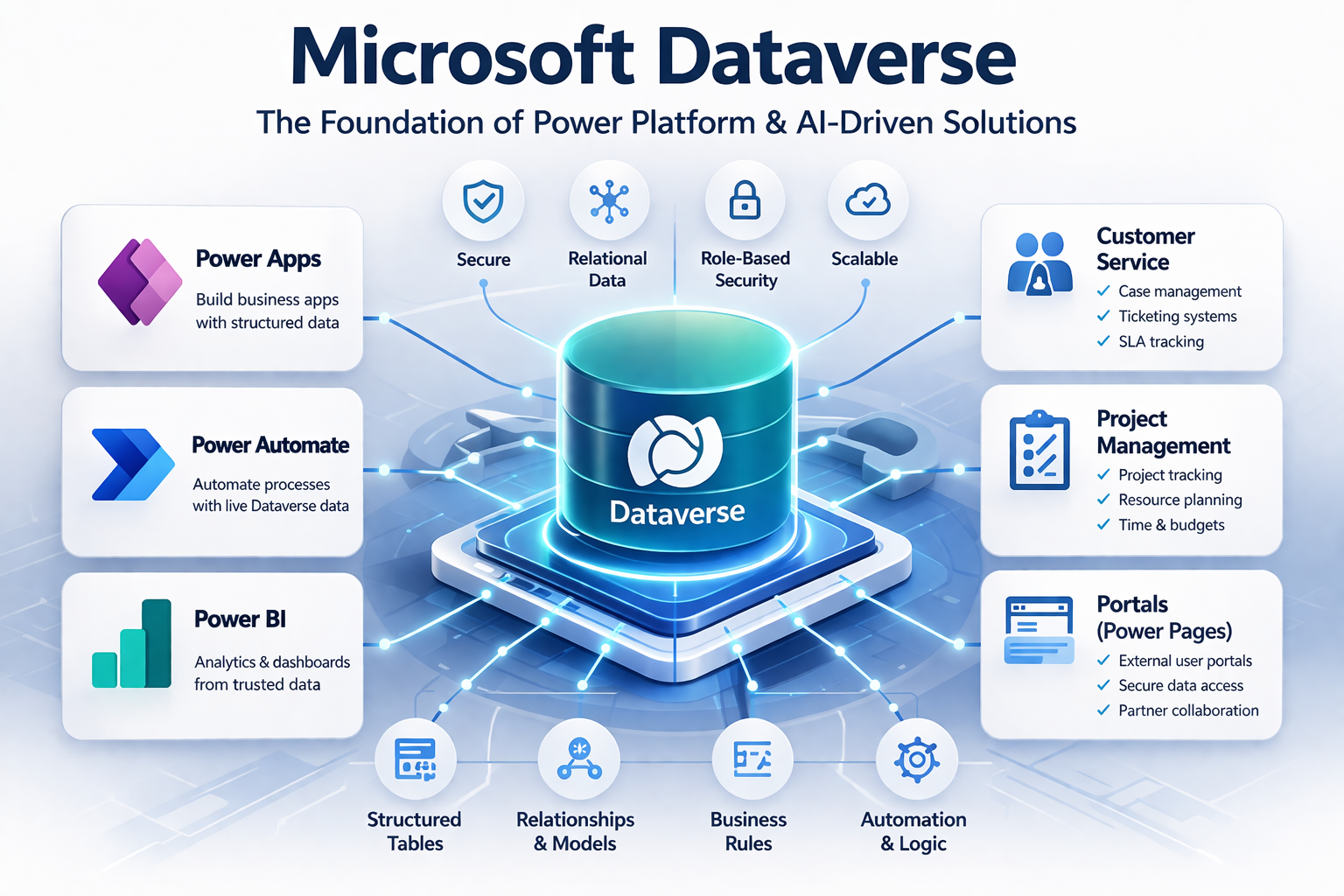
Microsoft Dataverse: Bridging the gap between traditional databases and low-code solutions
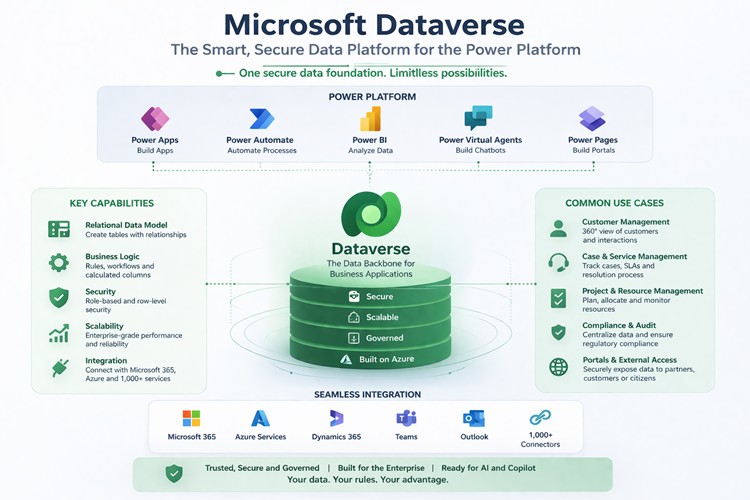
Understanding Dataverse's relational database structure for enterprise-grade data management
Key Benefits of Dataverse
Structured, Relational Data
Define relationships between tables (e.g. Customers > Orders > Projects), enabling proper business logic and reporting. Support cascading behaviours such as automatically deleting related records, restricting deletion, or simply removing the relationship link whilst preserving the data.
Built-in Security
Role-based access control allows you to define who can see data, who can edit data, implement hierarchy security models, and row-level permissions. This is critical for enterprise environments.
Seamless Power Platform Integration
Dataverse integrates natively with Power Apps, Power Automate, Power BI, and Power Pages. This removes the need for complex connectors or middleware.
Business Rules and Automation
Embed logic directly into the data layer: validation rules, calculated fields, automated workflows, and formulas. Keep your business logic centralised and maintainable.
Scalability
Unlike SharePoint lists, Dataverse is designed to scale with enterprise workloads. Built on Microsoft Azure, it maintains performance with large datasets through indexing, partitioning, and integration with Azure Synapse Analytics.
Real-World Use Cases
Internal Audit & Compliance Tracking
A university or enterprise organisation might use Dataverse to store audit actions, track ownership and deadlines, capture evidence, and automate escalation workflows.
Ensures: Full visibility, accountability, and centralised reporting.
Customer Service & Case Management
Dataverse can power ticketing systems, case tracking, and SLA monitoring with automated workflows, role-based access, and integration into Teams.
Benefits: Faster response times, better tracking, and seamless collaboration.
External Portals (Power Pages)
Dataverse is often used as the backend for portals where customers submit requests, partners upload data, and external users interact securely with internal systems.
Advantage: Secure, governed access without exposing internal infrastructure.
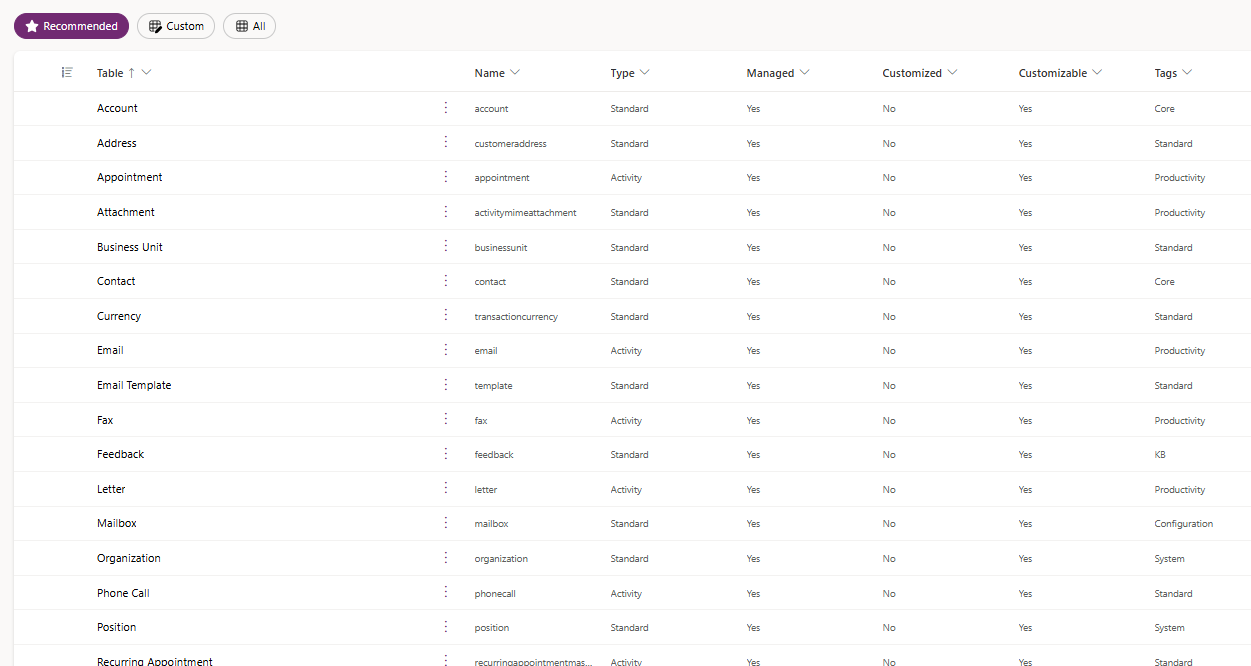
Dataverse administration interface: Manage tables, relationships, and security configurations with ease
When Should You Use Dataverse?
You should strongly consider Dataverse when:
- Your data is relational (not just flat lists)
- You need secure, role-based access control
- You're building multiple connected apps or solutions
- You want to scale beyond simple solutions
- You require strong governance and auditability
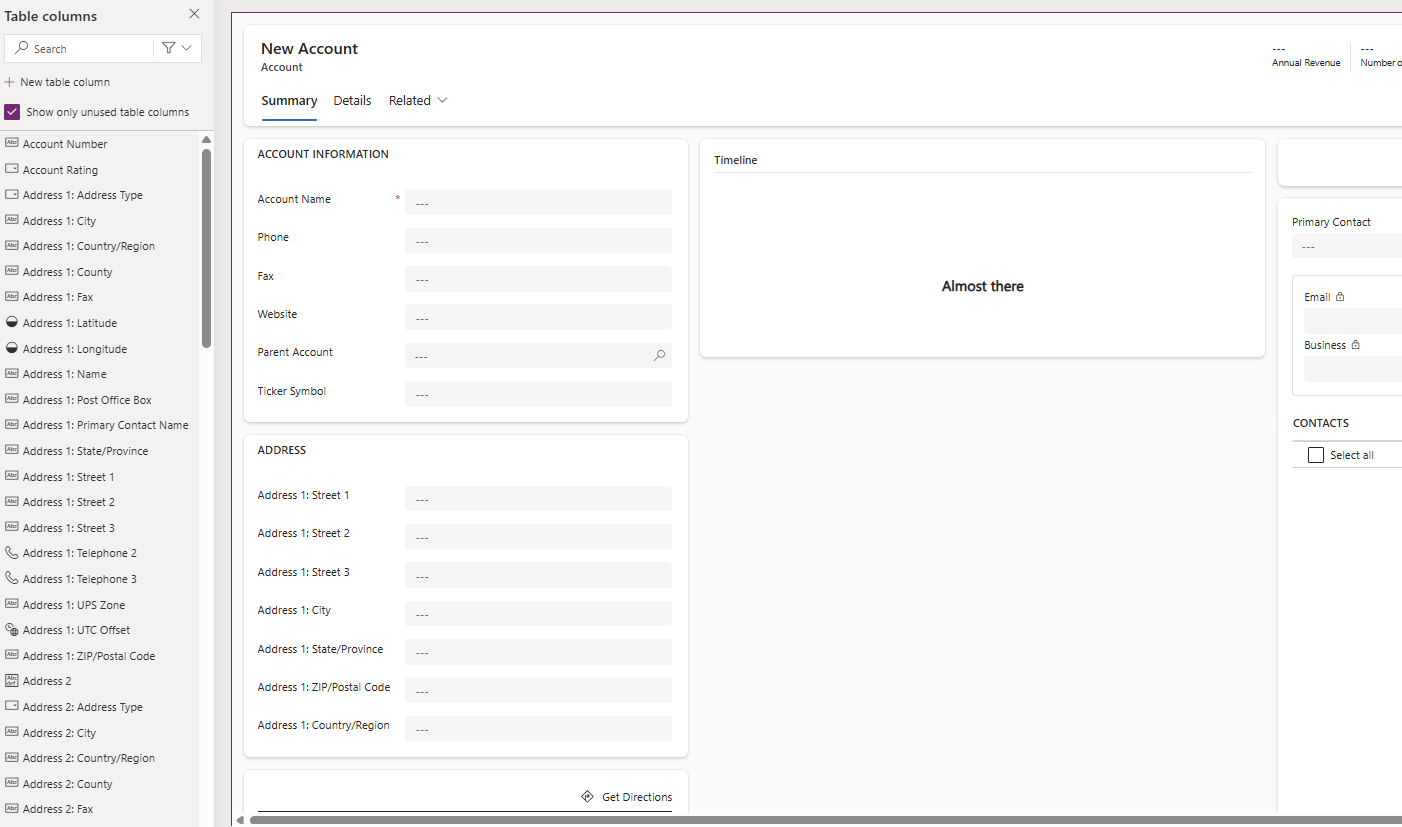
Dataverse form view: Intuitive interface for data entry and record management in Power Apps
Common Mistakes to Avoid
Starting with SharePoint for Complex Apps
Many organisations begin with SharePoint and hit limitations quickly. Plan for scale from the start.
Overengineering with SQL Too Early
SQL introduces complexity that isn't always necessary. Dataverse provides the power without the overhead.
Ignoring Data Architecture
Poor table design leads to long-term performance and usability issues. Invest in proper data modelling upfront.
Dataverse and AI: The Future Direction
With the rise of AI and Copilot:
- Dataverse becomes the trusted data source for AI agents
- Clean, structured data enables better automation decisions
- AI-driven workflows rely heavily on well-designed data models
This makes Dataverse not just relevant—but essential for future-ready solutions.
Conclusion
Microsoft Dataverse is no longer just an optional component of the Power Platform—it is fast becoming the standard for organisations that want to build scalable, secure, and future-ready business solutions.
By combining the flexibility of low-code development with the robustness of an enterprise-grade data platform, it enables organisations to move faster without sacrificing control. Whether you're building internal applications, automating complex workflows, or exposing data securely through external portals, Dataverse provides the consistency and reliability needed to scale with confidence.
Looking ahead, its role will only become more critical. As AI and Copilot-driven solutions become embedded and enriched by Dataverse in everyday business processes, the quality and structure of your data will directly determine the value you can extract. Dataverse positions your organisation to take full advantage of these advancements by acting as a trusted, governed data layer for both automation and intelligent decision-making.
In short, investing in Dataverse is not just a technical decision—it's a strategic one. Organisations that treat their data as a core asset, and build on the right foundations early, will be far better placed to adapt, innovate, and compete in an increasingly AI-driven landscape.
Dataverse Key Facts
- Dataverse uses standard and custom tables, so you can start with Microsoft-provided schemas or design your own data structures.
- Relationships support cascading behaviours, allowing configurable actions like deleting, reassigning, or unlinking related records.
- Dataverse supports APIs and connectors, enabling integration with external systems and custom development scenarios.
- Data is stored in Microsoft Azure, inheriting enterprise-grade security, compliance, and reliability.
- Dataverse enforces data consistency and validation, helping reduce errors and maintain high data quality.
- Dataverse scales easily, supporting everything from small business apps to large enterprise solutions.
- Dataverse supports virtual tables, allowing you to surface data from external systems in real time without storing that data directly in Dataverse, helping reduce duplication and keep information up to date.
- Dataverse includes calculated (formula) columns, which automatically compute values based on other data in a table, enabling dynamic fields such as totals, statuses, or derived values without manual updates.
- Once a well-structured database and data model are designed in Dataverse, building an application on top of it using Microsoft Power Apps—particularly model-driven apps—is straightforward. This approach enables rapid application development, allowing solutions to be created and scaled quickly with minimal additional effort.
Ready to Build on Dataverse?
If you're ready to explore how Dataverse can power your next Power Platform solution, our team can help assess your data architecture, design scalable solutions, and guide you through implementation.
Speak to an Expert Today